01
Shopping centres
Let visitors search stores, browse dining options and find amenities across the centre.
Create your map in the Maphere studio and embed it on your website. Help visitors find shops, explore floors and get the information they need.
Search for a shop, switch levels, or drag the map to explore.
Maphere demonstrationSearchable 2D & 3D maps
Multiple floors and place details
Website embeds, SDK & API
Draw spaces, add visitor information and publish updates
from one studio.
Trace a reference plan or draw from scratch. Use curves, snapping and alignment to build the layout, then add stairs, escalators and other objects.
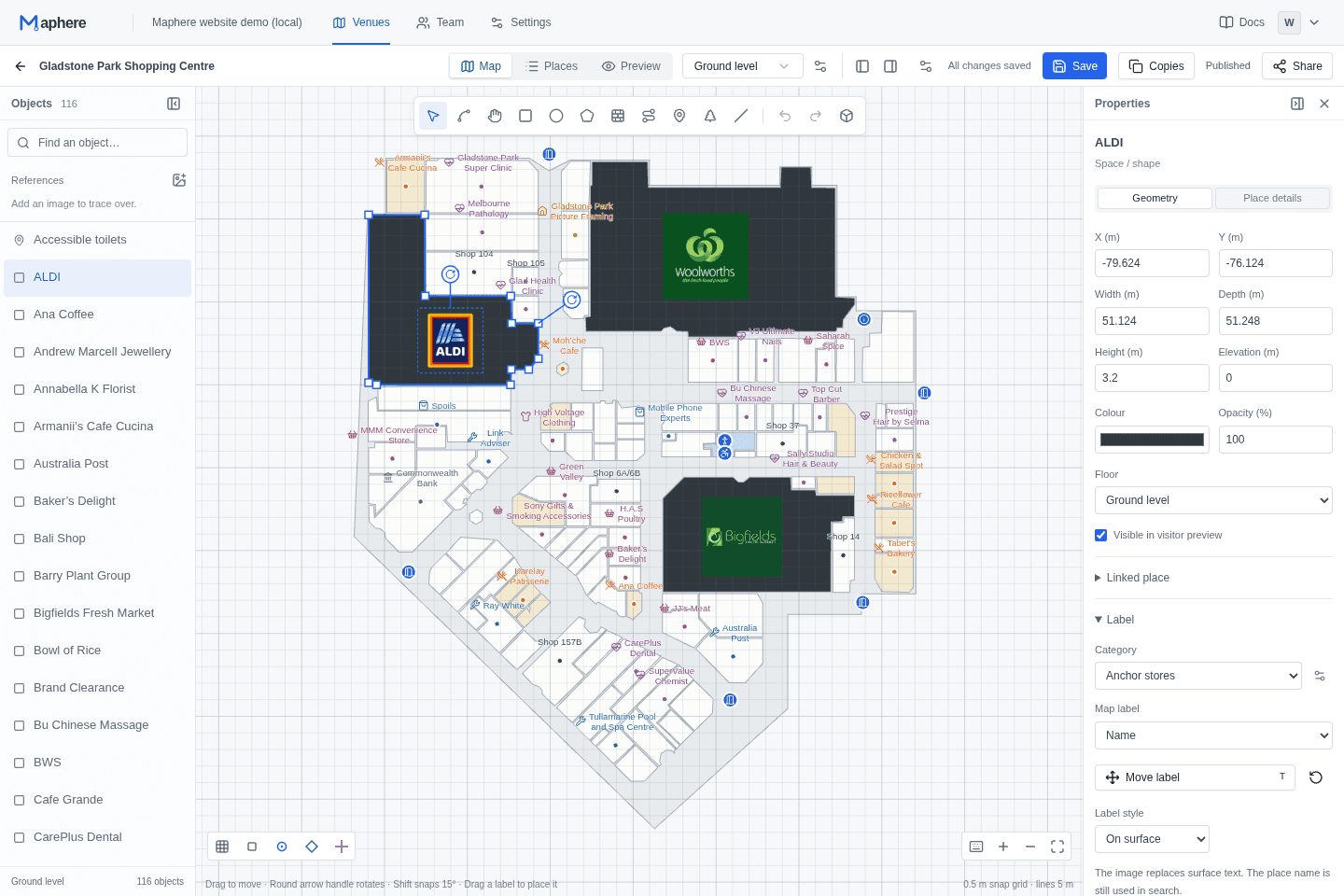
Organise buildings, floors and destinations
around the way your venue works.
Let visitors search stores, browse dining options and find amenities across the centre.
Show buildings, rooms and facilities across floors, with public or protected access.
Give visitors a searchable map of exhibitions, attractions and facilities before they arrive.
Start with the Maphere viewer. Make it part of your experience with custom controls, map events and a permissioned places API.
SDK in private preview · documentation open to explore
import { createMap } from "maphere-sdk";

// Mount the hosted viewer in your page.
const map = createMap("#map", {
  mapId: "your-published-map-id",
  title: "Explore our venue",
});

// Connect your controls to the map.
await map.ready;
await map.setView("perspective");Work on a private draft. Review it before updating the live map.
Manage your venue with your team. Control who can edit and who can publish.
Update a private draft and preview the experience before visitors see it.
Publish an update without replacing the map link or embed code on your website.
Start with a venue and its spaces. In the Maphere studio you can draw in 2D, use a floor plan as a reference, add floors and place details, and preview the visitor experience before publishing.
Yes. Maphere provides a hosted viewer you can embed on approved websites. Visitors can search places, switch floors and explore in 2D or 3D. The SDK gives developers control of the viewer from their own interface.
Explore embeddingNew maps and drafts are private. You choose when to publish and whether to enable a public viewer, allow website embeds or configure protected access. Changes to a draft do not appear in the published map until you publish again.
Read about protected accessMaphere currently uses invitation-only onboarding. If your organisation already has a workspace, follow your invitation or sign in. The SDK is in private preview; its guides and API reference are available in the developer documentation.
Sign in to your workspace